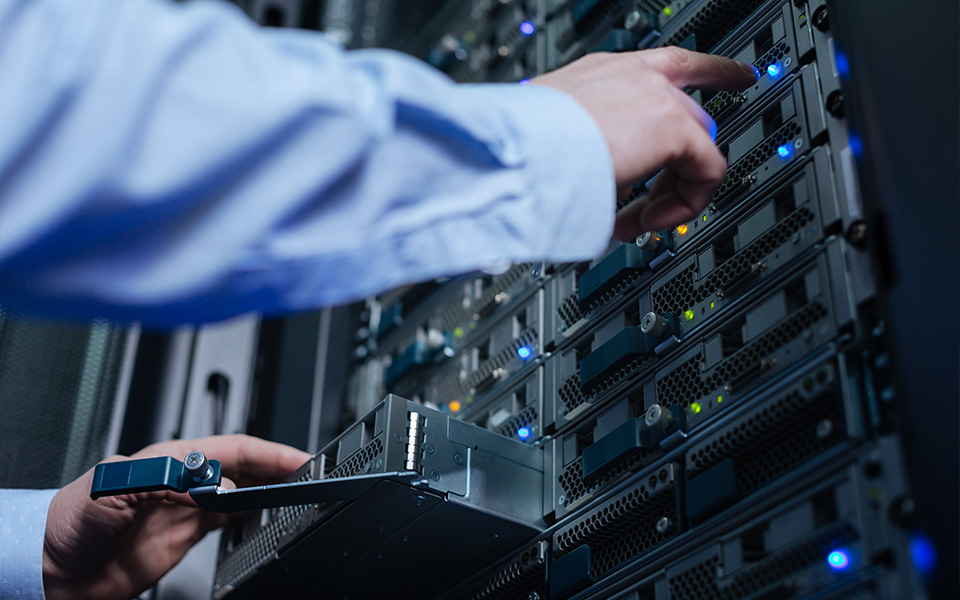
Server Maintenance: Core Points of Hardware Configuration & Disassembly
Servers, the powerhouse of information systems, require stable operation akin to sustaining a complex organism. Even minor oversights can trigger cascading issues. A common adage in IT states: "Deployment is easy, maintenance is hard." This is because a seemingly small mistake can bring an entire network to a halt, with potentially severe repercussions. Ensuring optimal server performance demands not only a deep understanding of its hardware architecture, operating system kernel, and supporting software but also represents an ongoing, systematic endeavor. Hardware maintenance forms the foundational and perpetual core of this effort—requiring specialized knowledge and continuous support for longevity.
Path to Performance Enhancement: Hardware Upgrades & Disassembly
With the ongoing decrease in the cost of server components, relying solely on factory-standard configurations is no longer cost-effective. Additionally, servers are typically designed with ample room for expansion, motivating more users to proactively optimize their hardware setup. Common upgrade strategies include: adding extra processors (CPUs) to multi-core motherboards, expanding memory (RAM) capacity, increasing storage drives (HDDs/SSDs), installing higher-performance network adapters (NICs) or adding network ports, deploying high-speed data transfer cards for speed boosts, and configuring redundant (backup) data cards for enhanced system reliability. Furthermore, critical components like Power Supply Units (PSUs) and cooling fans, due to continuous operation, are prone to wear and tear over time and require timely replacement. These tasks inevitably involve hardware disassembly and installation, demanding a high level of operator skill. Improper handling can easily lead to adverse outcomes.
Maintenance Cornerstones: Three Key Operational Guidelines
In server maintenance practice, meticulous attention to detail is paramount. The following three core operational principles must be strictly adhered to:
1. Power Sequence Protocol: Power management for servers might seem straightforward, but incorrect steps can cause hardware damage. During Shutdown: First, safely shut down the operating system core, then power off the server host unit. Next, disconnect externally attached devices (like external storage arrays), turn off auxiliary power and cabinet power, and finally, switch off the main input power. During Startup: Rigorously follow the reverse sequence—turn on the main input power first, activate the cabinet power. Then power on the external devices and wait for them to complete their self-tests before finally powering on the server host unit. This procedure effectively prevents power surges and protects sensitive electronic components.
2. Electrostatic Discharge (ESD) Prevention Essentials: While computers run on electricity, static electricity is an invisible threat, capable of instantly destroying delicate motherboard chips. ESD sources are varied, emanating from power equipment, monitors, or mobile devices. Prevention Measures: Ensure all equipment is properly grounded. If grounding is not readily available, always use a grounding strap to discharge static from your body or tools before handling components. When working inside the chassis, wear professional anti-static wrist straps or gloves, or neutralize static by touching the bare metal part of the chassis frame. In essence, static electricity is like tiny "sparks" that, if mishandled, can easily fry electronic parts.
Optimal Cooling Layout: Server chassis interiors are precisely engineered with densely packed components. During hardware upgrades or replacements, maintaining a rational component layout is crucial. Sufficient space must be preserved for airflow to create an efficient cooling "wind tunnel." While modern CPUs generate less heat than before, the sustained thermal output from high-speed drives, optical drives, and various interface cards within the confined space remains significant. When cooling fans operate, unobstructed airflow is vital. Otherwise, localized overheating can lead to performance throttling or even hardware failure. Remember: Superior thermal management is fundamental to ensuring the long-term health and operation of a server.